

First impression and some thoughts on Config 2023
👋 Hello, designers!
This morning, I watched the Config Keynote 2023, and I must say, a few pain points that have bothered me for a while are now resolved by a brilliant feature: Variables. I know many designers will discuss this feature in detail, but I'm simply thrilled that I no longer have to spend hours manually creating dark mode screens or various responsive layouts. Finally, I can bid farewell to those chaotic spaghetti prototype blue lines! 💪
Personally, I believe there were three standout aspects of this keynote: ✨
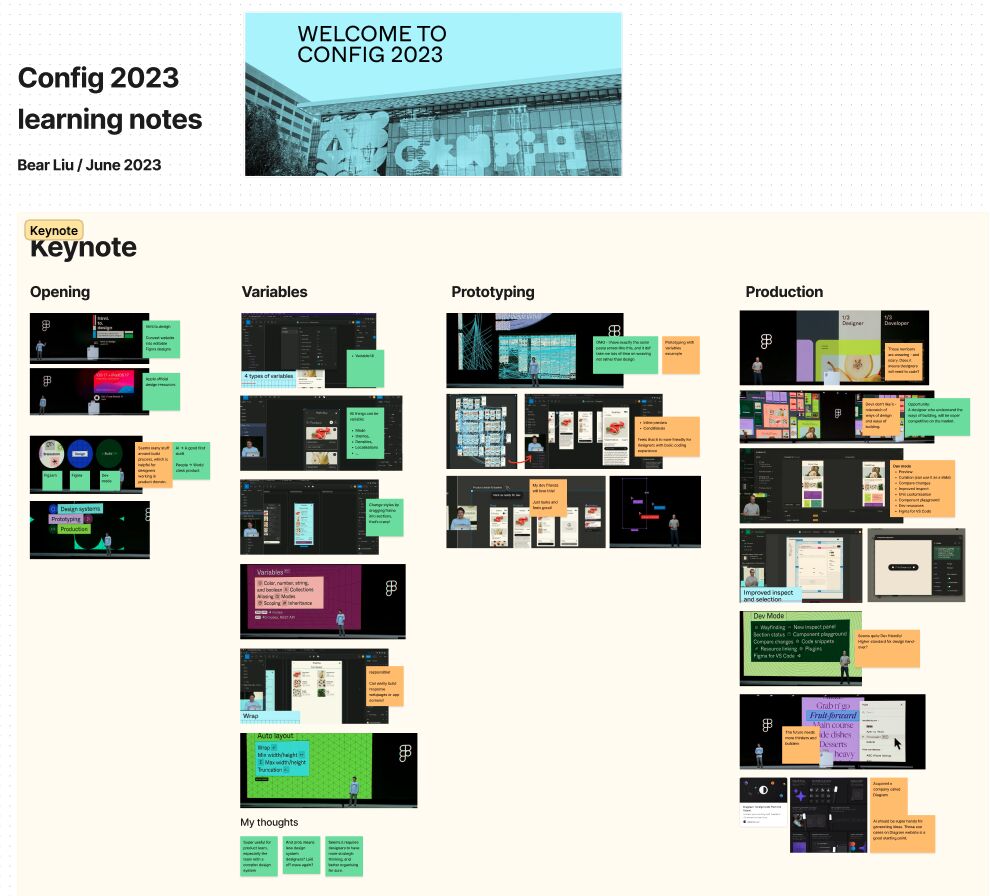
Figma is now "invading" the production stage of the product development process, which is fantastic. The common issue at this stage is the mismatch between the design approach and the implementation approach, which developers don't appreciate. This could present an opportunity from another perspective: a designer who understands the process of production will be extremely competitive in the market. 🚀
Considering the Auto Layout, different states of components, Variables, etc., the latter stage of the product design process appears to be "less creative" and "more strategic". It seems to require designers to engage in more strategic thinking and definitely better organization. I'm curious if this means the market is moving away from designers focusing on specific steps and towards a greater demand for full-stack designers? 🤔
With the product feature and Dev mode that Figma announced, I'm left pondering an age-old question: does a designer need to know how to code? My answer used to be no, but now I'm not so sure. 😅
The image is my learning notes for Config2023 - prob will share it later in details after I watch other sessions.


